
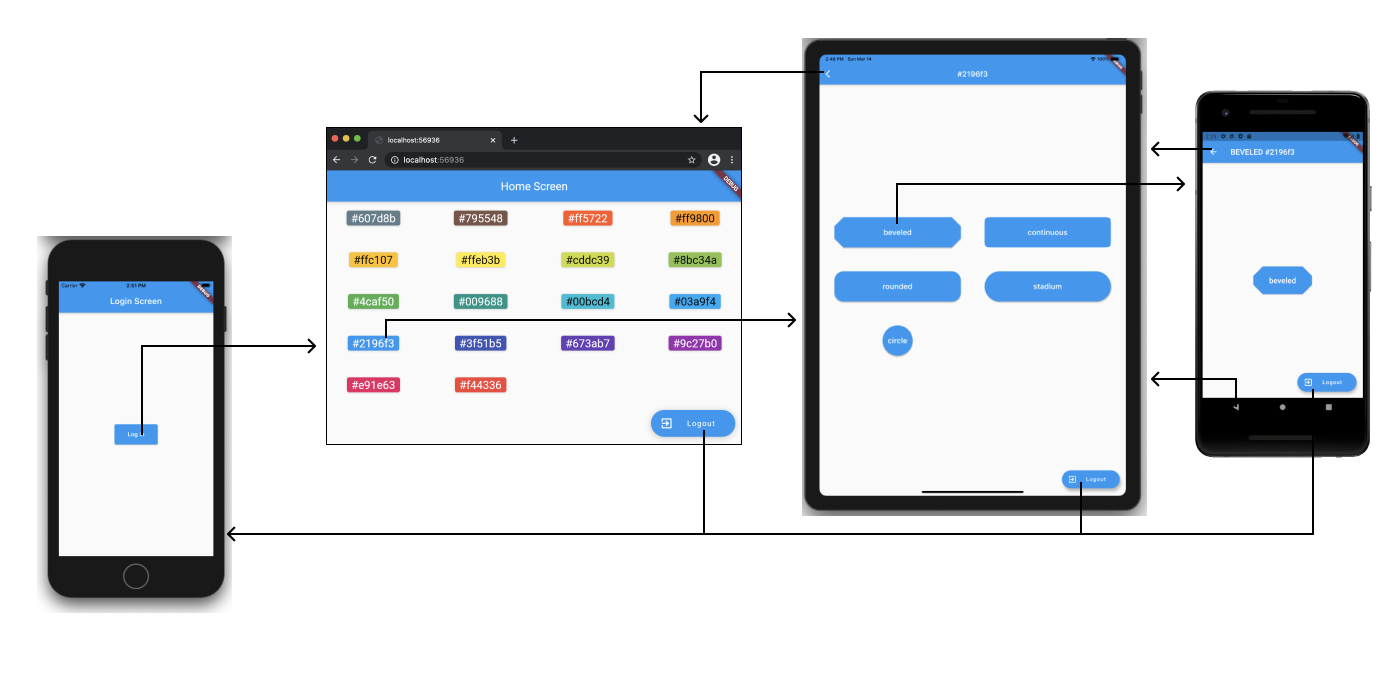
Image Source: [Google
Overview
The goal of laams_push is to make all the advanced functionalities of navigation in Flutter easy to use. We have developed a declarative URI-based router for advanced navigtion in Flutter. laams_push functionalities include but are not limited to deep linking, authentication based navigation, custom route transition animation and many more.
This is the syntax of a URI:

Features
- Deep linking
- Navigation based on user authentication state
- Custom animations for navigation transition
Getting started
- Add the
laams_pushtopubspec.yamlunderdependenciessection in your flutter project.
dependencies:
  laams_push: <latest>
Usage
Lets take a look at how to use laams_push in your your application.
- Provide
LaamsApp.router()at the top of theWidgettree. - Provide all your
routesas a value topagesproperty ofLaamsApp
main.dart
void main()=> runApp(MyApp());


class MyApp extends StatelessWidget {
  const MyApp({Key? key}) : super(key: key);

  @override
  Widget build(BuildContext context) {
    return const LaamsApp.router(
      pages: {
        MyHomePage.path: MyHomePage(),
        MyAboutPage.path: MyAboutPage(),
      },
    );
  }
}
- To navigate from one page to another inside your app, call one of the following methods
LaamsPush.push(context, '/second'); // Pushes the second page on top of the current route

LaamsPush.replace(context, '/second'); // Replaces the current route with /second

LaamsPush.pop(context); // Pops the current if it is not the only route in the stack
Complete Example:
class MyApp extends StatelessWidget {
  const MyApp({Key? key}) : super(key: key);

  @override
  Widget build(BuildContext context) {
    return const LaamsApp.router(
      pages: {
        MyHomePage.path: MyHomePage(),
        MyAboutPage.path: MyAboutPage(),
      },
    );
  }
}

class MyHomePage extends StatelessWidget {
  static const String path = '/';
  const MyHomePage({Key? key}) : super(key: key);

  @override
  Widget build(BuildContext context) {
    return Scaffold(
      appBar: AppBar(title: const Text('Laams Push')),
      body: const Center(child: Text('Hello World!')),
    );
  }
}

class MyAboutPage extends StatelessWidget {
  static const String path = '/about';
  const MyAboutPage({Key? key}) : super(key: key);

  @override
  Widget build(BuildContext context) {
    return Scaffold(
      appBar: AppBar(title: const Text('Laams Push')),
      body: const Center(child: Text('My about page!')),
    );
  }
}