



MediaSFU offers a cutting-edge streaming experience that empowers users to customize their recordings and engage their audience with high-quality streams. Whether you're a content creator, educator, or business professional, MediaSFU provides the tools you need to elevate your streaming game.
MediaSFU Flutter Package Documentation
Table of Contents
- Features
- Getting Started
- Basic Usage Guide
- Intermediate Usage Guide
- Advanced Usage Guide
- API Reference
- Troubleshooting
- Contributing
Features
MediaSFU's Flutter SDK comes with a host of powerful features out of the box:
- Breakout Rooms: Create multiple sub-meetings within a single session to enhance collaboration and focus.
- Pagination: Efficiently handle large participant lists with seamless pagination.
- Polls: Conduct real-time polls to gather instant feedback from participants.
- Media Access Requests Management: Manage media access requests with ease to ensure smooth operations
- Chat (Direct & Group): Facilitate communication with direct and group chat options.
- Cloud Recording (track-based): Customize recordings with track-based options, including watermarks, name tags, background colors, and more.
- Managed Events: Manage events with features to handle abandoned and inactive participants, as well as enforce time and capacity limits.
Getting Started
This section will guide users through the initial setup and installation of the Flutter package.
Installation
To install the package using Flutter, follow the instructions below:
-
Add the
mediasfu_sdkpackage to your project by running the following command:flutter pub add mediasfu_sdk -
Obtain an API key from MediaSFU. You can get your API key by signing up or logging into your account at mediasfu.com.
Important:
You must obtain an API key from mediasfu.com to use this package.
iOS Setup:
-
Minimum iOS Platform Version:
-
Navigate to your
ios/Podfilelocated in your project's iOS directory. -
Find the line specifying the iOS platform version.
-
Update the minimum iOS platform version to 12.0:
platform :ios, "12.0"
-
-
Info.plist Updates:
-
Open your Info.plist file located at
<project root>/ios/Runner/Info.plist. -
Add the following entries to allow camera and microphone usage:
<key>NSCameraUsageDescription</key>
<string>$(PRODUCT_NAME) Camera Usage!</string>
<key>NSMicrophoneUsageDescription</key>
<string>$(PRODUCT_NAME) Microphone Usage!</string>
-
macOS Setup:
-
Minimum macOS Version:
-
Navigate to your
macos/Podfilelocated in your project's macOS directory. -
Find the line specifying the macOS platform version.
-
Update the minimum macOS platform version to match your requirements. For example, to support macOS 10.15 (Catalina) and above:
platform :osx, '10.15'
-
-
Info.plist Updates:
-
Open your
macos/Runner/Info.plistfile located at<project root>/macos/Runner/Info.plist. -
Add the following entries to allow camera and microphone usage:
<key>NSCameraUsageDescription</key>
<string>$(PRODUCT_NAME) Camera Usage!</string>
<key>NSMicrophoneUsageDescription</key>
<string>$(PRODUCT_NAME) Microphone Usage!</string>
-
-
Entitlements Configuration:
-
Create a new file named
Release.entitlementsin yourmacos/Runnerdirectory if it doesn't already exist. -
Add the following entries to
Release.entitlementsto allow your app to access the camera, microphone, and open outgoing network connections:<key>com.apple.security.network.server</key> <true/> <key>com.apple.security.network.client</key> <true/> <key>com.apple.security.device.camera</key> <true/> <key>com.apple.security.device.microphone</key> <true/>
-
Android Setup:
-
SDK Version Updates:
- Open the
build.gradlefile located at<project root>/android/app/build.gradle. - Update the following SDK versions if necessary:
minSdkVersion: Specifies the minimum Android API level required by your app.compileSdkVersion: Specifies the version of the SDK against which you compile your app.targetSdkVersion: Specifies the API level that your app targets.
android {
    //...
    defaultConfig {
        minSdkVersion 23
        compileSdkVersion 31
        targetSdkVersion 31
        // Other configurations...
    }
}
- Open the
-
AndroidManifest Permissions:
-
Open the
AndroidManifest.xmlfile located at<project root>/android/app/src/main/AndroidManifest.xml. -
Ensure the following permissions are present to allow camera, microphone, and network access:
<uses-feature android:name="android.hardware.camera" /> <uses-feature android:name="android.hardware.camera.autofocus" /> <uses-permission android:name="android.permission.INTERNET"/> <uses-permission android:name="android.permission.CAMERA" /> <uses-permission android:name="android.permission.RECORD_AUDIO" /> <uses-permission android:name="android.permission.ACCESS_NETWORK_STATE" /> <uses-permission android:name="android.permission.CHANGE_NETWORK_STATE" /> <uses-permission android:name="android.permission.MODIFY_AUDIO_SETTINGS" /> <uses-permission android:name="android.permission.FOREGROUND_SERVICE"/> <uses-permission android:name="android.permission.WAKE_LOCK" /> -
If your app requires Bluetooth functionality, add these permissions:
<uses-permission android:name="android.permission.BLUETOOTH" />
<uses-permission android:name="android.permission.BLUETOOTH_ADMIN" />
-
-
Java 8 Compatibility:
- Ensure your app is compatible with Java 8 by adding the following code block to the
androidsection of yourbuild.gradle: -
android {
    //...
    compileOptions {
        sourceCompatibility JavaVersion.VERSION_1_8
        targetCompatibility JavaVersion.VERSION_1_8
    }
}
- Ensure your app is compatible with Java 8 by adding the following code block to the
By following these steps, you ensure that your Flutter app has the necessary permissions and configurations for camera, microphone, and network access on both iOS and Android platforms.
Basic Usage Guide
A basic guide on how to use the package for common tasks.
This section will guide users through the initial setup and installation of the Flutter package.
For the community edition, users can visit the GitHub repository at MediaSFU/MediaSFUOpen.
Predefined Interfaces
For minimal configuration, MediaSFU offers five predefined interfaces:
- Webinar: Ideal for presentations and lectures.
- Conference: Suitable for interactive meetings and discussions.
- Chat: Focused on real-time 1-1 calls.
- Broadcast: Best for live streaming to large audiences.
- Generic: Includes all of the above four views and dynamically changes per event type.
Users can easily pick an interface and render it in their app.
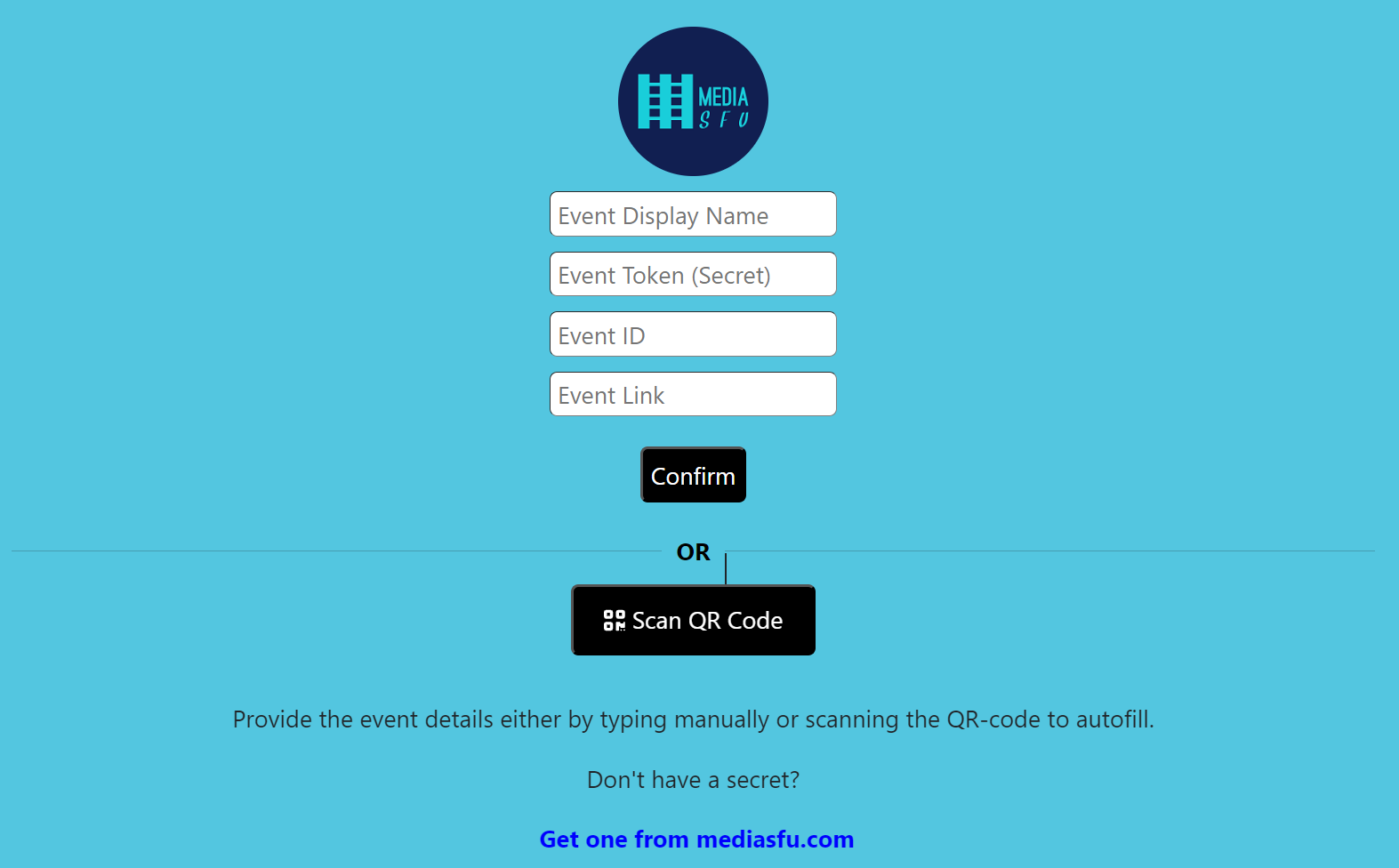
If no API credentials are provided, a default home page will be displayed where users can scan or manually enter the event details.
import 'package:flutter/material.dart';
// Import the prebuilt event room(s)
import 'package:mediasfu_sdk/mediasfu_sdk.dart';


void main() {
  runApp(const MyApp());
}

/// The main application widget for Mediasfu Webinar.
///
/// This application allows users to join or create webinars hosted on Mediasfu.
/// It provides a simple and streamlined experience for users to participate in webinars.
class MyApp extends StatelessWidget {
  /// Constructs a new instance of [MyApp].
  const MyApp({super.key});

  @override
  Widget build(BuildContext context) {
    return MaterialApp(
      title: 'Mediasfu Webinar',
      theme: ThemeData(
        primarySwatch: Colors.blue,
      ),
      // Home screen displays the MediasfuWebinar widget
      home: const MediasfuWebinar(),
    );
  }
}
Programmatically Fetching Tokens
If you prefer to fetch the required tokens programmatically without visiting MediaSFU's website, you can use the PreJoinPage component and pass your credentials as props:
// Import the necessary components
import 'package:mediasfu_sdk/mediasfu_sdk.dart';
import 'package:flutter/material.dart';

void main() {
  runApp(const MyApp());
}

/// The main application widget.
class MyApp extends StatelessWidget {
  /// Constructs a new instance of [MyApp].
  const MyApp({super.key});

  @override
  Widget build(BuildContext context) {
    // Define your API credentials
    final credentials = {
      'apiUserName': "yourAPIUserName",
      'apiKey': "yourAPIKey",
    };

    return MaterialApp(
      title: 'Mediasfu Generic',
      theme: ThemeData(
        primarySwatch: Colors.blue,
      ),
      // Render the MediasfuGeneric component with PrejoinPage and credentials
      home: MediasfuGeneric(
        PrejoinPage: ({
          required Map<String, dynamic> credentials,
          required Map<String, dynamic> parameters,
        }) {
          return PreJoinPage(credentials: credentials, parameters: parameters);
        },
        credentials: credentials,
      ),
    );
  }
}
Preview of Welcome Page
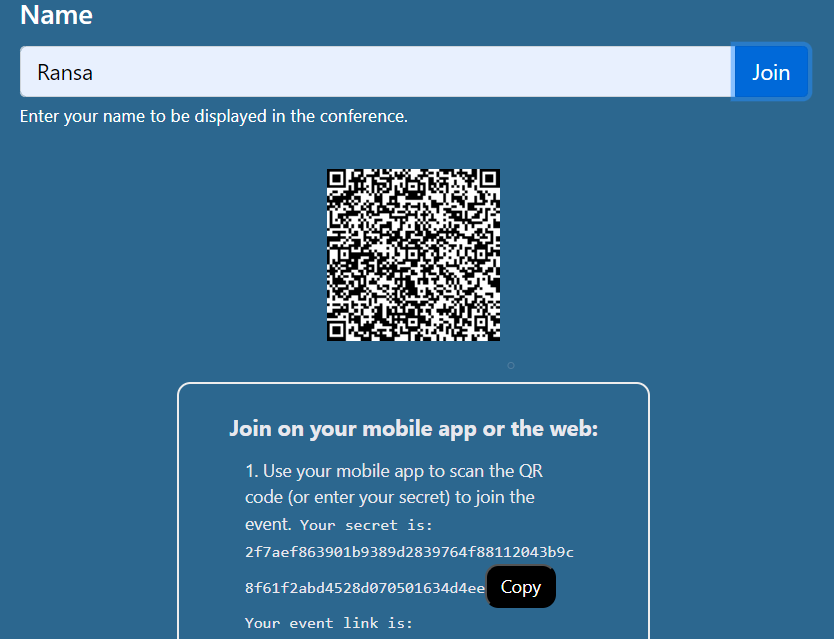
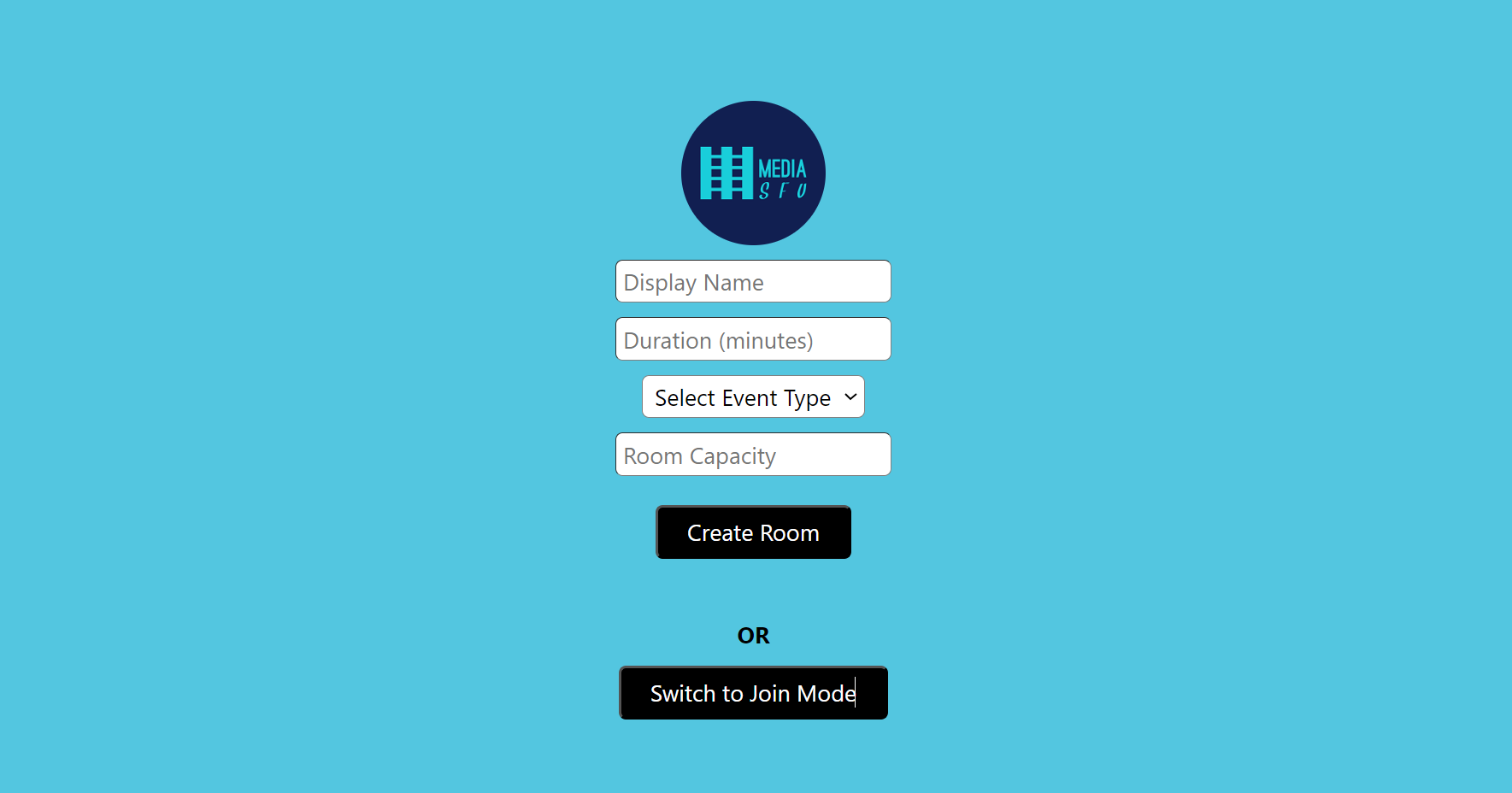
Preview of Prejoin Page
Custom Welcome/Prejoin Page
Alternatively, you can design your own welcome/prejoin page. The core function of this page is to fetch user tokens from MediaSFU's API and establish a connection with the returned link if valid.
Parameters Passed to Custom Page
MediaSFU passes relevant parameters to the custom welcome/prejoin page:
See the following code for the PreJoinPage page logic:
typedef ShowAlert = void Function({
  required String message,
  required String type,
  required int duration,
});

typedef ConnectSocket = Future<dynamic> Function(
    String apiUserName, String apiKey, String apiToken, String link);

    late final ShowAlert showAlert;
    late final Function(bool) updateIsLoadingModalVisible;
    late bool onWeb;
    late final ConnectSocket connectSocket;
    late dynamic socket;
    late Function(dynamic) updateSocket;
    late Function(bool) updateValidated;
    late Function(String) updateApiUserName;
    late Function(String) updateApiToken;
    late Function(String) updateLink;
    late Function(String) updateRoomName;
    late Function(String) updateMember;
    late bool validated;

    int maxAttempts =
        20; // Maximum number of unsuccessful attempts before rate limiting
    int rateLimitDuration = 3 * 60 * 60 * 1000; // 3 hours in milliseconds
    String apiKey = 'yourAPIKEY';
    String apiUserName = 'yourAPIUSERNAME';
    Map<String, dynamic> userCredentials = {
      'apiUserName': apiUserName,
      'apiKey': apiKey
    };

    class PreJoinPage extends StatefulWidget {
      final Map<String, dynamic> parameters;
      final Map<String, dynamic> credentials;

      const PreJoinPage(
          {super.key, required this.parameters, required this.credentials});

      @override
      // ignore: library_private_types_in_public_api
      _PreJoinPageState createState() => _PreJoinPageState();
    }

    class _PreJoinPageState extends State<PreJoinPage> {


      Map<String, dynamic> credentials = userCredentials;

      late final ShowAlert showAlert;
      late final Function(bool) updateIsLoadingModalVisible;
      late bool onWeb;
      late final ConnectSocket connectSocket;
      late dynamic socket;
      late Function(dynamic) updateSocket;
      late Function(bool) updateValidated;
      late Function(String) updateApiUserName;
      late Function(String) updateApiToken;
      late Function(String) updateLink;
      late Function(String) updateRoomName;
      late Function(String) updateMember;
      late bool validated;

      @override
      void initState() {
        super.initState();
        // Extract showAlert and updateIsLoadingModalVisible from parameters
        showAlert = widget.parameters['showAlert'];
        updateIsLoadingModalVisible =
            widget.parameters['updateIsLoadingModalVisible'];
        onWeb = widget.parameters['onWeb'];
        connectSocket = widget.parameters['connectSocket'];
        socket = widget.parameters['socket'];
        updateSocket = widget.parameters['updateSocket'];
        updateValidated = widget.parameters['updateValidated'];
        updateApiUserName = widget.parameters['updateApiUserName'];
        updateApiToken = widget.parameters['updateApiToken'];
        updateLink = widget.parameters['updateLink'];
        updateRoomName = widget.parameters['updateRoomName'];
        updateMember = widget.parameters['updateMember'];
        validated = widget.parameters['validated'];
      }

      Future<void> _checkLimitsAndMakeRequest({
        required String apiUserName,
        String apiToken = "",
        String apiKey = "",
        required String link,
        required String userName,
      }) async {
        const int duration = 20000;

        SharedPreferences prefs = await SharedPreferences.getInstance();
        int unsuccessfulAttempts = prefs.getInt('unsuccessfulAttempts') ?? 0;
        int lastRequestTimestamp = prefs.getInt('lastRequestTimestamp') ?? 0;

        if (unsuccessfulAttempts >= maxAttempts) {
          if (DateTime.now().millisecondsSinceEpoch - lastRequestTimestamp <
              rateLimitDuration) {
            showAlert(
              message: 'Too many unsuccessful attempts. Please try again later.',
              type: 'danger',
              duration: 3000,
            );
            await prefs.setInt(
              'lastRequestTimestamp',
              DateTime.now().millisecondsSinceEpoch,
            );
            return;
          } else {
            unsuccessfulAttempts = 0;
            await prefs.setInt('unsuccessfulAttempts', unsuccessfulAttempts);
            await prefs.setInt(
              'lastRequestTimestamp',
              DateTime.now().millisecondsSinceEpoch,
            );
          }
        }

        try {
          updateIsLoadingModalVisible(true);

          final socketPromise = connectSocket(apiUserName, apiKey, apiToken, link);
          const timeoutDuration = Duration(milliseconds: duration);

          final socketWithTimeout = await socketPromise.timeout(
            timeoutDuration,
            onTimeout: () {
              throw TimeoutException('Socket connection timed out');
            },
          );

          if (socketWithTimeout != null && socketWithTimeout.id != null) {
            unsuccessfulAttempts = 0;
            await prefs.setInt('unsuccessfulAttempts', unsuccessfulAttempts);
            await prefs.setInt(
              'lastRequestTimestamp',
              DateTime.now().millisecondsSinceEpoch,
            );
            // Update state or perform other actions on successful request
            await updateSocket(socketWithTimeout);
            await updateApiUserName(apiUserName);
            await updateApiToken(apiToken);
            await updateLink(link);
            await updateRoomName(apiUserName);
            await updateMember(userName);
            updateIsLoadingModalVisible(false);
            await updateValidated(true);
          } else {
            updateIsLoadingModalVisible(false);
            unsuccessfulAttempts++;
            await prefs.setInt('unsuccessfulAttempts', unsuccessfulAttempts);
            await prefs.setInt(
              'lastRequestTimestamp',
              DateTime.now().millisecondsSinceEpoch,
            );
            if (unsuccessfulAttempts >= maxAttempts) {
              showAlert(
                message: 'Too many unsuccessful attempts. Please try again later.',
                type: 'danger',
                duration: 3000,
              );
            } else {
              showAlert(
                message: 'Invalid credentials. Please try again later.',
                type: 'danger',
                duration: 3000,
              );
            }
          }
        } catch (error) {
          updateIsLoadingModalVisible(false);

          await prefs.setInt('unsuccessfulAttempts', unsuccessfulAttempts);
          await prefs.setInt(
            'lastRequestTimestamp',
            DateTime.now().millisecondsSinceEpoch,
          );

          if (unsuccessfulAttempts >= maxAttempts) {
            showAlert(
              message: 'Too many unsuccessful attempts. Please try again later.',
              type: 'danger',
              duration: 3000,
            );
          } else {
            showAlert(
              message: 'Unable to connect. ${error.toString()}',
              type: 'danger',
              duration: 3000,
            );
          }
        }
      }

      Future<Map<String, dynamic>> joinRoomOnMediaSFU(
          Map<String, dynamic> payload, String apiUserName, String apiKey) async {
        try {
          if (apiUserName.isEmpty ||
              apiKey.isEmpty ||
              apiUserName.isEmpty ||
              apiKey.isEmpty) {
            return {'data': null, 'success': false};
          }

          if (apiUserName == 'yourAPIUSERNAME' || apiKey == 'yourAPIKEY') {
            return {'data': null, 'success': false};
          }

          if (apiKey.length != 64) {
            return {'data': null, 'success': false};
          }

          if (apiUserName.length < 6) {
            return {'data': null, 'success': false};
          }

          final url = Uri.parse('https://mediasfu.com/v1/rooms/');
          final headers = {
            'Content-Type': 'application/json',
            'Authorization': 'Bearer $apiUserName:$apiKey',
          };

          final response = await http.post(
            url,
            headers: headers,
            body: jsonEncode(payload),
          );

          if (response.statusCode != 200 && response.statusCode != 201) {
            throw Exception('HTTP error! Status: ${response.statusCode}');
          }

          final responseData = jsonDecode(response.body);
          return {'data': responseData, 'success': true};
        } catch (error) {
          return {'data': null, 'success': false};
        }
      }

      Future<Map<String, dynamic>> createRoomOnMediaSFU(
          Map<String, dynamic> payload, String apiUserName, String apiKey) async {
        try {

          final url = Uri.parse('https://mediasfu.com/v1/rooms/');
          final headers = {
            'Content-Type': 'application/json',
            'Authorization': 'Bearer $apiUserName:$apiKey',
          };

          final response = await http.post(
            url,
            headers: headers,
            body: jsonEncode(payload),
          );

          if (response.statusCode != 201 && response.statusCode != 200) {
            throw Exception('HTTP error! Status: ${response.statusCode}');
          }

          final responseData = jsonDecode(response.body);
          return {'data': responseData, 'success': true};
        } catch (error) {
          return {'data': null, 'success': false};
        }
      }

      @override
      Widget build(BuildContext context) {
        return Scaffold(

        );
      }


      void _handleCreateRoom() async {
        try {

          // Call API to create room
          final payload = {
            'action': 'create',
            'duration': int.parse(_duration),
            'capacity': int.parse(_capacity),
            'eventType': _eventType.toLowerCase(),
            'userName': _name,
          };

          updateIsLoadingModalVisible(true);

          // Perform room creation logic
          final response = await createRoomOnMediaSFU(payload,
              widget.credentials['apiUserName'], widget.credentials['apiKey']);

          if (response['success']) {
            // Handle successful room creation
            await _checkLimitsAndMakeRequest(
                apiUserName: response['data']['roomName'],
                apiToken: response['data']['secret'],
                link: response['data']['link'],
                userName: _name);
            setState(() {
              _error = ''; // Clear any previous error message
            });
          } else {
            // Handle failed room creation
            updateIsLoadingModalVisible(false);
            setState(() {
              _error =
                  'Unable to create room. ${response['data'] != null ? response['data']['message'] : ''}';
            });
          }
        } catch (error) {
          updateIsLoadingModalVisible(false);
          setState(() {
            _error = 'Unable to connect. ${error.toString()}';
          });
        }
      }


      void _handleJoinRoom() async {
        try {

          // Call API to join room
          final payload = {
            'action': 'join',
            'meetingID': _eventID,
            'userName': _name,
          };

          updateIsLoadingModalVisible(true);

          // Perform room join logic
          final response = await joinRoomOnMediaSFU(payload,
              widget.credentials['apiUserName'], widget.credentials['apiKey']);

          if (response['success']) {
            // Handle successful room join
            await _checkLimitsAndMakeRequest(
                apiUserName: response['data']['roomName'],
                apiToken: response['data']['secret'],
                link: response['data']['link'],
                userName: _name);
            setState(() {
              _error = ''; // Clear any previous error message
            });
          } else {
            updateIsLoadingModalVisible(false);
            // Handle failed room join
            setState(() {
              _error =
                  'Unable to connect to room. ${response['data'] != null ? response['data']['message'] : ''}';
            });
          }
        } catch (error) {
          updateIsLoadingModalVisible(false);
          setState(() {
            _error = 'Unable to connect. ${error.toString()}';
          });
        }
      }
    }
IP Blockage Warning And Local UI Development
Entering the event room without the correct credentials may result in IP blockage, as the page automatically attempts to connect with MediaSFU servers, which rate limit bad requests based on IP address.
If users attempt to enter the event room without valid credentials or tokens, it may lead to IP blockage due to MediaSFU servers' rate limiting mechanism. To avoid unintentional connections to MediaSFU servers during UI development, users can pass the useLocalUIMode parameter as true.
In this mode, the package will operate locally without making requests to MediaSFU servers. However, to render certain UI elements such as messages, participants, requests, etc., users may need to provide seed data. They can achieve this by importing random data generators and passing the generated data to the event room component.
Example for Broadcast Room
import 'package:flutter/material.dart';
import 'package:mediasfu_sdk/mediasfu_sdk.dart'

void main() {
  runApp(const MyApp());
}

// Global credentials used for authentication
final credentials = {
  'apiUserName': "your_api_user_name",
  'apiKey': "your_api_key",
};

/// The main application widget responsible for setting up the UI and navigation.
///
/// Users have the option to use a custom prejoin page or the default prejoin page provided by Mediasfu.
/// Custom prejoin pages require user credentials to create/join an event.
/// If no custom prejoin page is provided, a default welcome page is presented where users can scan their access code
/// obtained from the Mediasfu website.
class MyApp extends StatelessWidget {
  /// Indicates whether to use seed data for generating random participants and messages.
  final bool useSeed = true;

  const MyApp({super.key});

  @override
  Widget build(BuildContext context) {
    // Name of the member
    const String memberName = 'Alice';

    // Name of the host (same as member if the member is the host)
    const String hostName = 'Fred';

    // Generate random participants with Alice as member and Fred as host
    final participants = useSeed
        ? generateRandomParticipants(memberName, '', hostName,
            forChatBroadcast: true)
        : [];

    // Generate random messages for the generated participants
    final messages = useSeed
        ? generateRandomMessages(participants, memberName, '', hostName,
            forChatBroadcast: true)
        : [];

    // Assign the generated participants and messages to seedData
    final seedData = {
      'participants': participants,
      'messages': messages,
      'member': memberName,
      'host': hostName,
    };

    // Whether to use local UI mode; prevents making requests to the Mediasfu servers during UI development
    final useLocalUIMode = useSeed;

    return MaterialApp(
      title: 'Mediasfu Broadcast',
      theme: ThemeData(
        primarySwatch: Colors.blue,
      ),
      home: MediasfuBroadcast(
        // Configure the PrejoinPage widget with credentials and parameters
        PrejoinPage: ({
          required Map<String, dynamic> credentials,
          required Map<String, dynamic> parameters,
        }) {
          return PreJoinPage(credentials: credentials, parameters: parameters);
        },
        useLocalUIMode: useLocalUIMode,
        useSeed: useSeed,
        seedData: useSeed ? seedData : {}, // Pass seed data if useSeed is true
        credentials: credentials, // Pass global credentials
      ),
    );
  }
}
Example for Generic View
import 'package:mediasfu_sdk/mediasfu_sdk.dart'

void main() {
  runApp(const MyApp());
}

// Global credentials used for authentication
final credentials = {
  'apiUserName': "your_api_user_name",
  'apiKey': "your_api_key",
};

/// The main application widget responsible for setting up the UI and navigation.
///
/// Users have the option to provide a custom view by passing the [PreJoinPage]
/// widget, which can be tailored to their specific requirements. This flexibility
/// allows users to design and customize the prejoin experience according to their
/// needs, such as collecting additional information or providing specialized instructions.
/// When using the prejoin page, ensure to pass appropriate [credentials] for authentication.
///
/// For generic usage, where a custom view is not provided, the application defaults
/// to [MediasfuGeneric], offering a generic prejoin experience. In this mode, seed data
/// can be utilized for UI design purposes by enabling the [useSeed] flag. When [useSeed]
/// is true, seed data containing random participants, messages, requests, and waiting lists
/// is provided. Set [useLocalUIMode] to true to prevent making requests to Mediasfu servers
/// during UI development.
class MyApp extends StatelessWidget {
  /// Whether to use seed data for generating random participants and messages.
  final bool useSeed = false;

  const MyApp({super.key});

  @override
  Widget build(BuildContext context) {
    // Name of the member
    const String memberName = 'Prince';

    // Name of the host (same as member if the member is the host)
    const String hostName = 'Fred';

    // Determine the event type
    const String eventType =
        'chat'; // 'broadcast', 'chat', 'webinar', 'conference'

    // Generate random participants, messages, requests, and waiting list
    final participants = useSeed
        ? generateRandomParticipants(memberName, '', hostName,
            forChatBroadcast: eventType == "broadcast" || eventType == "chat")
        : [];
    final messages = useSeed
        ? generateRandomMessages(participants, memberName, '', hostName,
            forChatBroadcast: eventType == "broadcast" || eventType == "chat")
        : [];
    final requests = useSeed
        ? generateRandomRequestList(participants, memberName, '', 3)
        : [];
    final waitingList =
        useSeed ? generateRandomWaitingRoomList(participants) : [];

    // Create seed data
    final seedData = {
      'participants': participants,
      'messages': messages,
      'requests': requests,
      'waitingList': waitingList,
      'member': memberName,
      'host': hostName,
      'eventType': eventType,
    };

    // Whether to use local UI mode; prevents making requests to the Mediasfu servers during UI development
    final useLocalUIMode = useSeed;

    return MaterialApp(
      title: 'Mediasfu Generic',
      theme: ThemeData(
        primarySwatch: Colors.blue,
      ),
      home: MediasfuGeneric(
        // Configure the PrejoinPage widget with credentials and parameters
        PrejoinPage: ({
          required Map<String, dynamic> credentials,
          required Map<String, dynamic> parameters,
        }) {
          return PreJoinPage(credentials: credentials, parameters: parameters);
        },
        useLocalUIMode: useLocalUIMode,
        useSeed: useSeed,
        // Pass seed data if useSeed is true and useLocalUIMode is true
        seedData: useSeed && useLocalUIMode ? seedData : {},
        // Pass global credentials only if using a PrejoinPage
        credentials: !useLocalUIMode ? credentials : {},
      ),
    );
  }
}
In the provided examples, users can set useLocalUIMode to true during UI development to prevent unwanted connections to MediaSFU servers. Additionally, they can generate seed data for rendering UI components locally by using random data generators provided by the package.
Local UI Development in MediaSFU
During local UI development, the MediaSFU view is designed to be responsive to changes in screen size and orientation, adapting its layout accordingly. However, since UI changes are typically linked to communication with servers, developing the UI locally might result in less responsiveness due to the lack of real-time data updates. To mitigate this, users can force trigger changes in the UI by rotating the device, resizing the window, or simulating server responses by clicking on buttons within the page.
While developing locally, users may encounter occasional error warnings as the UI attempts to communicate with the server. These warnings can be safely ignored, as they are simply indicative of unsuccessful server requests in the local development environment.
Intermediate Usage Guide
Expands on the basic usage, covering more advanced features and scenarios.
Intermediate Usage Guide
In the Intermediate Usage Guide, we'll explore the core components and functionalities of the MediaSFU package, focusing on media display, controls, and modal interactions.
Core Components Overview
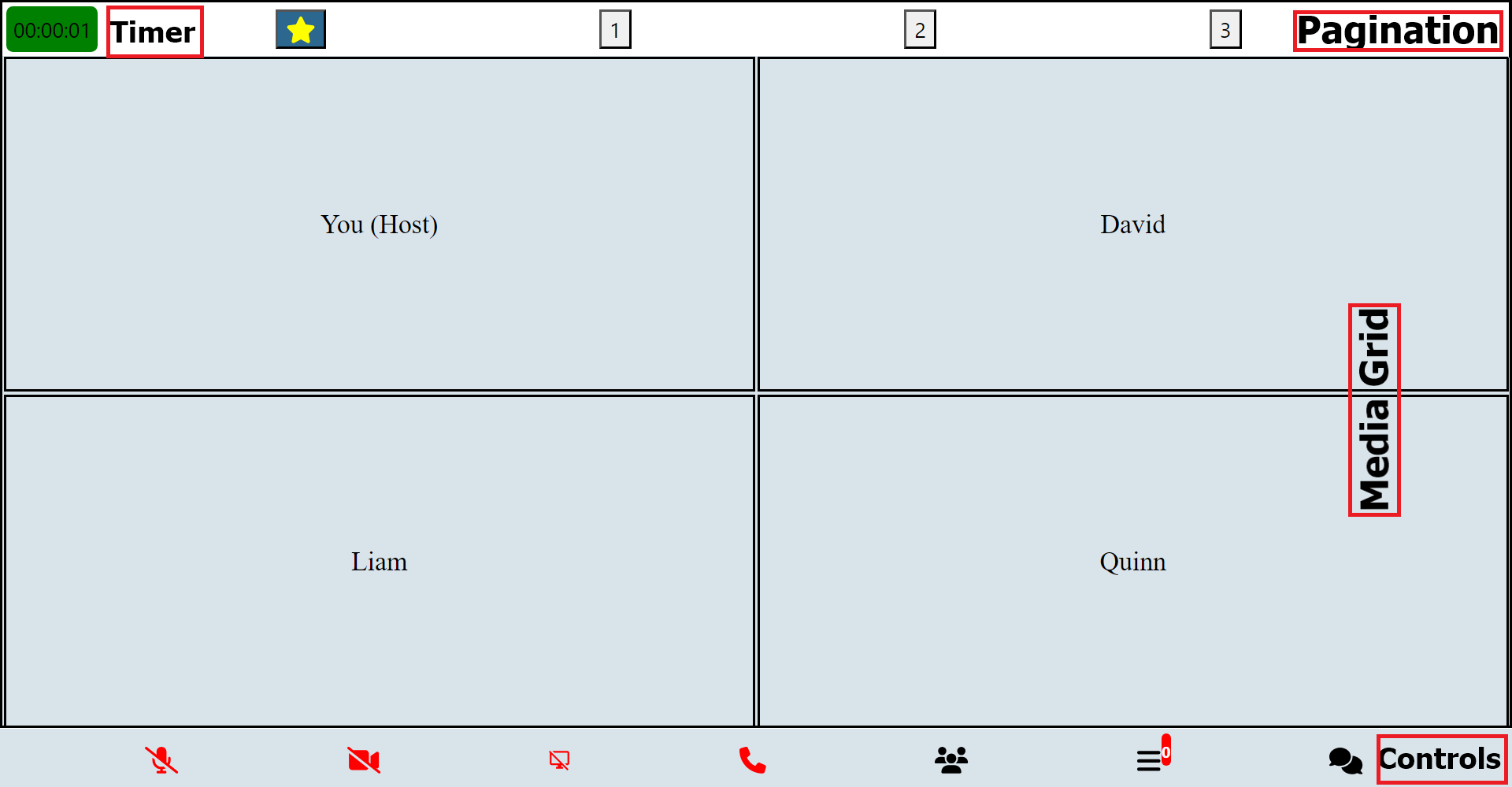
The main items displayed on an event page are media components (such as video, audio, and blank cards) and control components (for pagination, navigation, etc.).
Media Display Components:
| Component Name | Description |
|---|---|
| Main Aspect Component | Serves as a container for the primary aspect of the user interface, typically containing the main content or focus of the application. |
| Main Screen Component | Responsible for rendering the main screen layout of the application, providing the foundation for displaying various elements and content. |
| Main Grid Component | Crucial part of the user interface, organizing and displaying primary content or elements in a grid layout format. |
| Sub Aspect Component | Acts as a secondary container within the user interface, often housing additional elements or controls related to the main aspect. |
| Main Container Component | Primary container for the application's content, encapsulating all major components and providing structural organization. |
| Other Grid Component | Complements the Main Grid Component by offering additional grid layouts, typically used for displaying secondary or auxiliary content. |
Control Components:
| Component Name | Description |
|---|---|
| Control Buttons Component | Comprises a set of buttons or controls used for navigating, interacting, or managing various aspects of the application's functionality. |
| Control Buttons Alt Component | Provides alternative button configurations or styles for controlling different aspects of the application. |
| Control Buttons Component Touch | Specialized component designed for touch-enabled devices, offering floating buttons or controls for intuitive interaction with the application's features. |
These components collectively contribute to the overall user interface, facilitating navigation, interaction, and content display within the application.
Modal Components:
| Modal Component | Description |
|---|---|
| LoadingModal | Modal for displaying loading indicator during data fetching or processing. |
| MainAspectComponent | Component responsible for displaying the main aspect of the event page. |
| ControlButtonsComponent | Component for displaying control buttons such as pagination controls. |
| ControlButtonsAltComponent | Alternate control buttons component for specific use cases. |
| ControlButtonsComponentTouch | Touch-enabled control buttons component for mobile devices. |
| OtherGridComponent | Component for displaying additional grid elements on the event page. |
| MainScreenComponent | Component for rendering the main screen content of the event. |
| MainGridComponent | Main grid component for displaying primary event content. |
| SubAspectComponent | Component for displaying secondary aspects of the event page. |
| MainContainerComponent | Main container component for the event page content. |
| AlertComponent | Modal for displaying alert messages to the user. |
| MenuModal | Modal for displaying a menu with various options. |
| RecordingModal | Modal for managing recording functionality during the event. |
| RequestsModal | Modal for handling requests from participants during the event. |
| WaitingRoomModal | Modal for managing waiting room functionality during the event. |
| DisplaySettingsModal | Modal for adjusting display settings during the event. |
| EventSettingsModal | Modal for configuring event settings. |
| CoHostModal | Modal for managing co-host functionality during the event. |
| ParticipantsModal | Modal for displaying participant information and controls. |
| MessagesModal | Modal for managing messages and chat functionality during the event. |
| MediaSettingsModal | Modal for adjusting media settings during the event. |
| ConfirmExitModal | Modal for confirming exit from the event. |
| ConfirmHereModal | Modal for confirming certain actions or selections. |
| ShareEventModal | Modal for sharing the event with others. |
| PollModal | Modal for conducting polls or surveys during the event. |
| BreakoutRoomsModal | Modal for managing breakout rooms during the event. |
Modal Interactions
Each modal has corresponding functions to trigger its usage:
launchMenuModal: Launches the menu modal for settings and configurations.launchRecording: Initiates the recording modal for recording functionalities.startRecording: Starts the recording process.confirmRecording: Confirms and finalizes the recording.launchWaiting: Opens the waiting room modal for managing waiting room interactions.launchCoHost: Opens the co-host modal for managing co-host functionalities.launchMediaSettings: Launches the media settings modal for adjusting media-related configurations.launchDisplaySettings: Opens the display settings modal for adjusting display configurations.launchSettings: Initiates the settings modal for general event settings and configurations.launchRequests: Opens the requests modal for managing user requests.launchParticipants: Displays the participants modal for viewing and managing event participants.launchMessages: Opens the messages modal for communication through chat messages.launchConfirmExit: Prompts users to confirm before exiting the event.launchPoll: Opens the poll modal for conducting polls or surveys.launchBreakoutRooms: Initiates the breakout rooms modal for managing breakout room functionalities.
Misc Pages
| Page Component | Description |
|---|---|
| WelcomePage | Serves as the initial page displayed to users upon entering the application for an event. It provides a welcoming interface with relevant information about the event.. |
| PreJoinPage | The PreJoinPage represents the page where users prepare to join the event. It includes functionalities for creating or joining a room, validating credentials, and initializing the connection for the event. |
Media Display and Controls
These components facilitate media display and control functionalities:
- Pagination: Handles pagination and page switching.
- FlexibleGrid: Renders flexible grid layouts for media display.
- FlexibleVideo: Displays videos in a flexible manner within the grid.
- AudioGrid: Renders audio components within the grid layout.
These components enable seamless media presentation and interaction within the event environment, providing users with a rich and immersive experience.
| UI Media Component | Description |
|---|---|
| MeetingProgressTimer | Component for displaying a timer indicating the progress of a meeting or event. |
| MiniAudio | Component for rendering a compact audio player with basic controls. |
| MiniCard | Component for displaying a minimized card view with essential information. |
| AudioCard | Component for displaying audio content with control elements, details, and audio decibels. |
| VideoCard | Component for displaying video content with control elements, details, and audio decibels. |
| CardVideoDisplay | Video player component for displaying embedded videos with controls and details. |
| MiniAudioPlayer | Utility method for playing audio and rendering a mini audio modal when the user is not actively displayed on the page. |
With the Intermediate Usage Guide, users can explore and leverage the core components and functionalities of the MediaSFU Package to enhance their event hosting and participation experiences.
Here's a sample import and usage code for a Broadcast screen:
import 'package:flutter/material.dart';
import 'package:mediasfu_sdk/mediasfu_sdk.dart';


class MediasfuBroadcast extends StatefulWidget {
  final Widget Function({
    required Map<String, dynamic> credentials,
    required Map<String, dynamic> parameters,
  })? PrejoinPage;
  final Map<String, dynamic> credentials;
  final bool useLocalUIMode;
  final Map<String, dynamic> seedData;
  final bool useSeed;

  const MediasfuBroadcast({
    super.key,
    this.PrejoinPage,
    this.credentials = const {},
    this.useLocalUIMode = false,
    this.seedData = const {},
    this.useSeed = false,
  });

  @override
  // ignore: library_private_types_in_public_api
  _MediasfuBroadcastState createState() => _MediasfuBroadcastState();
}

class _MediasfuBroadcastState extends State<MediasfuBroadcast> {

    //sample details

    bool validated = false;

    void updateValidated(bool value) {
    setState(() {
      validated = value;
    });

    if (validated) {
      joinAndUpdate().then((value) => null);
    }
  }

  // Room Details
  final ValueNotifier<String> roomName = ValueNotifier(''); // Room name
  final ValueNotifier<String> member = ValueNotifier(''); // Member name
  final ValueNotifier<String> adminPasscode =
      ValueNotifier(''); // Admin passcode
  final ValueNotifier<String> islevel = ValueNotifier("0"); // Level

  //others ...


  //Record Button
  List<Map<String, dynamic>> recordButton = [];

  void initializeRecordButton() {
    recordButton = [
      // Record Button
      {
        'icon': Icons.fiber_manual_record,
        'active': false,
        'text': 'Record',
        'onPress': () {
          // Action for the Record button
          launchRecording(
            parameters: getAllParams(),
          );
        },
        'activeColor': const Color.fromARGB(255, 244, 3, 3),
        'inActiveColor': const Color.fromARGB(255, 251, 9, 9),
        'show': true,
      },
    ];
  }


  // Record Buttons
  List<Map<String, dynamic>> recordButtons = [];

   //Control Buttons Broadcast Events
  List<Map<String, dynamic>> controlBroadcastButtons = [];


  Widget buildEventRoom(BuildContext context) {
  initializeRecordButton();
  initializeRecordButtons();
  initializeControlBroadcastButtons();


    @override
  Widget build(BuildContext context) {
    return SafeArea(
      // Top: true adjusts for iOS status bar, ignores for other platforms
      top: true,
      child: AnnotatedRegion<SystemUiOverlayStyle>(
        value: const SystemUiOverlayStyle(
          statusBarColor: Colors.transparent, // Makes status bar transparent
          statusBarIconBrightness:
              Brightness.light, // Sets status bar icons to light color
        ),
        child: OrientationBuilder(
          builder: (BuildContext context, Orientation orientation) {
            // Check if the device is in landscape mode
            isPortrait.value = orientation == Orientation.portrait;
            return Scaffold(
              body: _buildRoomInterface(),
              resizeToAvoidBottomInset: false,
            );
          },
        ),
      ),
    );
  }


  return validated
      ? MainContainerComponent(
          backgroundColor: const Color.fromRGBO(217, 227, 234, 0.99),
          children: [
            MainAspectComponent(
              backgroundColor: const Color.fromRGBO(217, 227, 234, 0.99),
              updateIsWideScreen: updateIsWideScreen,
              updateIsMediumScreen: updateIsMediumScreen,
              updateIsSmallScreen: updateIsSmallScreen,
              defaultFraction: 1 - controlHeight.value,
              showControls: eventType.value == 'webinar' ||
                  eventType.value == 'conference',
              children: [
                ValueListenableBuilder<Map<String, double>>(
                  valueListenable: componentSizes,
                  builder: (context, componentSizes, child) {
                    return MainScreenComponent(
                      doStack: true,
                      mainSize: mainHeightWidth,
                      updateComponentSizes: updateComponentSizes,
                      defaultFraction: 1 - controlHeight.value,
                      showControls: eventType.value == 'webinar' ||
                          eventType.value == 'conference',
                      children: [
                        ValueListenableBuilder<Map<String, int>>(
                          valueListenable: gridSizes,
                          builder: (context, gridSizes, child) {
                            return MainGridComponent(
                              height: componentSizes['mainHeight'] ?? 0,
                              width: componentSizes['mainWidth'] ?? 0,
                              backgroundColor:
                                  const Color.fromRGBO(217, 227, 234, 0.99),
                              mainSize: mainHeightWidth,
                              showAspect: mainHeightWidth > 0,
                              timeBackgroundColor: recordState == 'green'
                                  ? Colors.green
                                  : recordState == 'yellow'
                                      ? Colors.yellow
                                      : Colors.red,
                              meetingProgressTime:
                                  meetingProgressTime.value,
                              showTimer: true,
                              children: [
                                FlexibleVideo(
                                  backgroundColor: const Color.fromRGBO(
                                      217, 227, 234, 0.99),
                                  customWidth:
                                      componentSizes['mainWidth'] ?? 0,
                                  customHeight:
                                      componentSizes['mainHeight'] ?? 0,
                                  rows: 1,
                                  columns: 1,
                                  componentsToRender: mainGridStream ?? [],
                                  showAspect: mainGridStream.isNotEmpty,
                                ),
                                ControlButtonsComponentTouch(
                                  buttons: controlBroadcastButtons,
                                  direction: 'vertical',
                                  showAspect:
                                      eventType.value == 'broadcast',
                                  location: 'bottom',
                                  position: 'right',
                                ),
                                ControlButtonsComponentTouch(
                                  buttons: recordButton,
                                  direction: 'horizontal',
                                  showAspect:
                                      eventType.value == 'broadcast' &&
                                          !showRecordButtons.value &&
                                          islevel.value == '2',
                                  location: 'bottom',
                                  position: 'middle',
                                ),
                                ControlButtonsComponentTouch(
                                  buttons: recordButtons,
                                  direction: 'horizontal',
                                  showAspect:
                                      eventType.value == 'broadcast' &&
                                          showRecordButtons.value &&
                                          islevel.value == '2',
                                  location: 'bottom',
                                  position: 'middle',
                                ),
                                AudioGrid(
                                  componentsToRender:
                                      audioOnlyStreams.value,
                                ),
                                ValueListenableBuilder<String>(
                                  valueListenable: meetingProgressTime,
                                  builder: (context, meetingProgressTime,
                                      child) {
                                    return MeetingProgressTimer(
                                      meetingProgressTime:
                                          meetingProgressTime,
                                      initialBackgroundColor:
                                          recordState == 'green'
                                              ? Colors.green
                                              : recordState == 'yellow'
                                                  ? Colors.yellow
                                                  : Colors.red,
                                      showTimer: true,
                                    );
                                  }),
                              ],
                            );
                          },
                        ),
                      ],
                    );
                  }),
              ],
            ),
          ],
        )
      : widget.PrejoinPage != null
          ? renderPrejoinPage() ?? renderWelcomePage()
          : renderWelcomePage();
}


 Widget _buildRoomInterface() {
    return Stack(
      children: [
        buildEventRoom(context),

        _buildShareEventModal(), // Add Share Event Modal
        _buildRecordingModal(), // Add Recording Modal
        _buildParticipantsModal(), // Add Participants Modal
        _buildMessagesModal(), // Add Messages Modal

        _buildConfirmExitModal(), // Add Confirm Exit Modal

        _buildAlertModal(), // Add Alert Modal
        _buildConfirmHereModal(), // Add Confirm Here Modal
        _buildLoadingModal(), // Add Loading Modal
      ],
    );
  }

    Widget _buildParticipantsModal() {
    return ValueListenableBuilder<bool>(
      valueListenable: isParticipantsModalVisible,
      builder: (context, isParticipantsVisible, child) {
        return ValueListenableBuilder<List<dynamic>>(
          valueListenable: filteredParticipants,
          builder: (context, filteredParticipants, child) {
            return ParticipantsModal(
              backgroundColor: const Color.fromRGBO(217, 227, 234, 0.99),
              isParticipantsModalVisible: isParticipantsVisible,
              onParticipantsClose: () {
                updateIsParticipantsModalVisible(false);
              },
              participantsCounter: participantsCounter.value,
              onParticipantsFilterChange: onParticipantsFilterChange,
              parameters: {
                'updateParticipants': updateParticipants,
                'updateIsParticipantsModalVisible':
                    updateIsParticipantsModalVisible,
                'updateDirectMessageDetails': updateDirectMessageDetails,
                'updateStartDirectMessage': updateStartDirectMessage,
                'updateIsMessagesModalVisible': updateIsMessagesModalVisible,
                'showAlert': showAlert,
                'participants': filteredParticipants,
                'roomName': roomName.value,
                'islevel': islevel.value,
                'member': member.value,
                'coHostResponsibility': coHostResponsibility.value,
                'coHost': coHost.value,
                'eventType': eventType.value,
                'startDirectMessage': startDirectMessage.value,
                'directMessageDetails': directMessageDetails.value,
                'socket': socket.value,
              },
            );
          },
        );
      },
    );
  }


    Widget _buildConfirmExitModal() {
    return ValueListenableBuilder<bool>(
      valueListenable: isConfirmExitModalVisible,
      builder: (context, isConfirmExitVisible, child) {
        return ConfirmExitModal(
          isConfirmExitModalVisible: isConfirmExitVisible,
          onConfirmExitClose: () {
            updateIsConfirmExitModalVisible(false);
          },
          parameters: {
            'islevel': islevel.value,
            'updateIsConfirmExitModalVisible': updateIsConfirmExitModalVisible,
            'isConfirmExitModalVisible': isConfirmExitModalVisible,
            'showAlert': showAlert,
            'roomName': roomName.value,
            'member': member.value,
            'socket': socket.value,
          },
        );
      },
    );
  }


//other widgets for the modals

}
This sample code demonstrates the import and usage of various components and features for a Broadcast screen, including rendering different UI components based on the validation state, handling socket connections, displaying video streams, controlling recording, and managing component sizes.
Here's a sample usage of the control button components as used above:
  void initializeRecordButtons() {
    recordButtons = [
      // Play/Pause Button
      {
        // name: 'Pause',
        'icon': Icons.play_circle_filled,
        'active': !recordPaused.value,
        'onPress': () => updateRecording(
            parameters: {...getAllParams(), ...mediaSFUFunctions()}),
        'activeColor': Colors.black,
        'inActiveColor': Colors.black,
        'alternateIcon': Icons.pause_circle_filled,
        'show': true,
      },
      // Stop Button
      {
        // name: 'Stop',
        'icon': Icons.stop_circle,
        'active': false,
        'onPress': () => stopRecording(
            parameters: {...getAllParams(), ...mediaSFUFunctions()}),
        'activeColor': Colors.green,
        'inActiveColor': Colors.black,
        'show': true,
      },
      // Timer Display
      {
        'customComponent': Container(
          color: Colors.transparent,
          padding: const EdgeInsets.all(0),
          margin: const EdgeInsets.all(2),
          child: Text(
            recordingProgressTime.value,
            style: const TextStyle(
              color: Colors.black,
              backgroundColor: Colors.transparent,
            ),
          ),
        ),
        'show': true,
      },
      // Status Button
      {
        // name: 'Status',
        'icon': Icons.circle,
        'active': false,
        'onPress': () => (),
        'activeColor': Colors.black,
        'inActiveColor':
            recordPaused.value == false ? Colors.red : Colors.yellow,
        'show': true,
      },
      // Settings Button
      {
        // name: 'Settings',
        'icon': Icons.settings,
        'active': false,
        'onPress': () => launchRecording(parameters: {...getAllParams()}),
        'activeColor': Colors.green,
        'inActiveColor': Colors.black,
        'show': true,
      },
    ];
  }


  // Initialize Control Buttons Broadcast Events
  void initializeControlBroadcastButtons() {
    controlBroadcastButtons = [
      // Users button
      {
        'icon': Icons.group_outlined,
        'active': participantsActive,
        'onPress': () => launchParticipants(
              updateIsParticipantsModalVisible:
                  updateIsParticipantsModalVisible,
              isParticipantsModalVisible: isParticipantsModalVisible.value,
            ),
        'activeColor': Colors.black,
        'inActiveColor': Colors.black,
        'show': true,
      },

      // Share button
      {
        'icon': Icons.share,
        'alternateIcon': Icons.share,
        'active': true,
        'onPress': () =>
            updateIsShareEventModalVisible(!isShareEventModalVisible.value),
        'activeColor': Colors.black,
        'inActiveColor': Colors.black,
        'show': true,
      },
      // Custom component
      {
        'customComponent': Stack(
          children: [
            // Your icon
            const Icon(
              Icons.comment,
              size: 20,
              color: Colors.black,
            ),
            // Conditionally render a badge
            if (showMessagesBadge.value)
              Positioned(
                top: -2,
                right: -2,
                child: Container(
                  decoration: BoxDecoration(
                    color: Colors.red,
                    borderRadius: BorderRadius.circular(12),
                  ),
                  padding:
                      const EdgeInsets.symmetric(horizontal: 4, vertical: 4),
                  child: const Text(
                    '',
                    style: TextStyle(
                      color: Colors.white,
                      fontSize: 12,
                      fontWeight: FontWeight.bold,
                    ),
                  ),
                ),
              ),
          ],
        ),
        'onPress': () => launchMessages(
              updateIsMessagesModalVisible: updateIsMessagesModalVisible,
              isMessagesModalVisible: isMessagesModalVisible.value,
            ),
        'show': true,
      },

      // Switch camera button
      {
        'icon': Icons.sync,
        'alternateIcon': Icons.sync,
        'active': true,
        'onPress': () => switchVideoAlt(
              parameters: {
                ...getAllParams(),
                ...mediaSFUFunctions(),
                // Others
                'onWeb': kIsWeb,
                'device': device.value,
                'socket': socket.value,
                'showAlert': showAlert,
                'checkPermission': checkPermission,
                'streamSuccessVideo': streamSuccessVideo,
                'hasCameraPermission': hasCameraPermission.value,
                'requestPermissionCamera': requestPermissionCamera,
                'checkMediaPermission': !kIsWeb,
              },
            ),
        'activeColor': Colors.black,
        'inActiveColor': Colors.black,
        'show': islevel.value == '2',
      },
      // Video button
      {
        'icon': Icons.video_call,
        'alternateIcon': Icons.video_call,
        'active': videoActive,
        'onPress': () => clickVideo(
              parameters: {
                ...getAllParams(),
                ...mediaSFUFunctions(),
                // Others
                'onWeb': kIsWeb,
                'device': device.value,
                'socket': socket.value,
                'showAlert': showAlert,
                'checkPermission': checkPermission,
                'streamSuccessVideo': streamSuccessVideo,
                'hasCameraPermission': hasCameraPermission.value,
                'requestPermissionCamera': requestPermissionCamera,
                'checkMediaPermission': !kIsWeb,
              },
            ),
        'activeColor': Colors.green,
        'inActiveColor': Colors.red,
        'show': islevel.value == '2',
      },
      // Microphone button
      {
        'icon': Icons.mic,
        'alternateIcon': Icons.mic,
        'active': micActive,
        'onPress': () => clickAudio(
              parameters: {
                ...getAllParams(),
                ...mediaSFUFunctions(),
                // Others
                'onWeb': kIsWeb,
                'device': device.value,
                'socket': socket.value,
                'showAlert': showAlert,
                'checkPermission': checkPermission,
                'streamSuccessAudio': streamSuccessAudio,
                'hasAudioPermission': hasAudioPermission.value,
                'requestPermissionAudio': requestPermissionAudio,
                'checkMediaPermission': !kIsWeb,
              },
            ),
        'activeColor': Colors.green,
        'inActiveColor': Colors.red,
        'show': islevel.value == '2',
      },
      {
        'customComponent': Container(
          margin: const EdgeInsets.all(5),
          padding: const EdgeInsets.all(0),
          decoration: BoxDecoration(
            color: Colors.transparent,
            border: Border.all(color: Colors.transparent),
          ),
          child: Row(
            mainAxisAlignment: MainAxisAlignment.center,
            crossAxisAlignment: CrossAxisAlignment.center,
            children: [
              const Icon(Icons.bar_chart, size: 20, color: Colors.black),
              const SizedBox(width: 5),
              Text(
                participantsCounter.value.toString(),
                style: const TextStyle(
                  backgroundColor: Colors.transparent,
                  color: Colors.black,
                  fontSize: 12,
                ),
              ),
            ],
          ),
        ),
        'show': true,
      },
      // End call button
      {
        'icon': Icons.call_end,
        'active': endCallActive,
        'onPress': () => launchConfirmExit(
              updateIsConfirmExitModalVisible: updateIsConfirmExitModalVisible,
              isConfirmExitModalVisible: isConfirmExitModalVisible.value,
            ),
        'activeColor': Colors.green,
        'inActiveColor': Colors.red,
        'show': true,
      },
    ];
  }
This sample code defines arrays recordButtons and controlBroadcastButtons, each containing configuration objects for different control buttons. These configurations include properties such as icon, active state, onPress function, activeColor, inActiveColor, and show flag to control the visibility of each button.
You can customize these configurations according to your requirements, adding, removing, or modifying buttons as needed. Additionally, you can refer to the relevant component files (ControlButtonsAltComponent.js and ControlButtonsComponentTouch.js) for more details on how to add custom buttons.
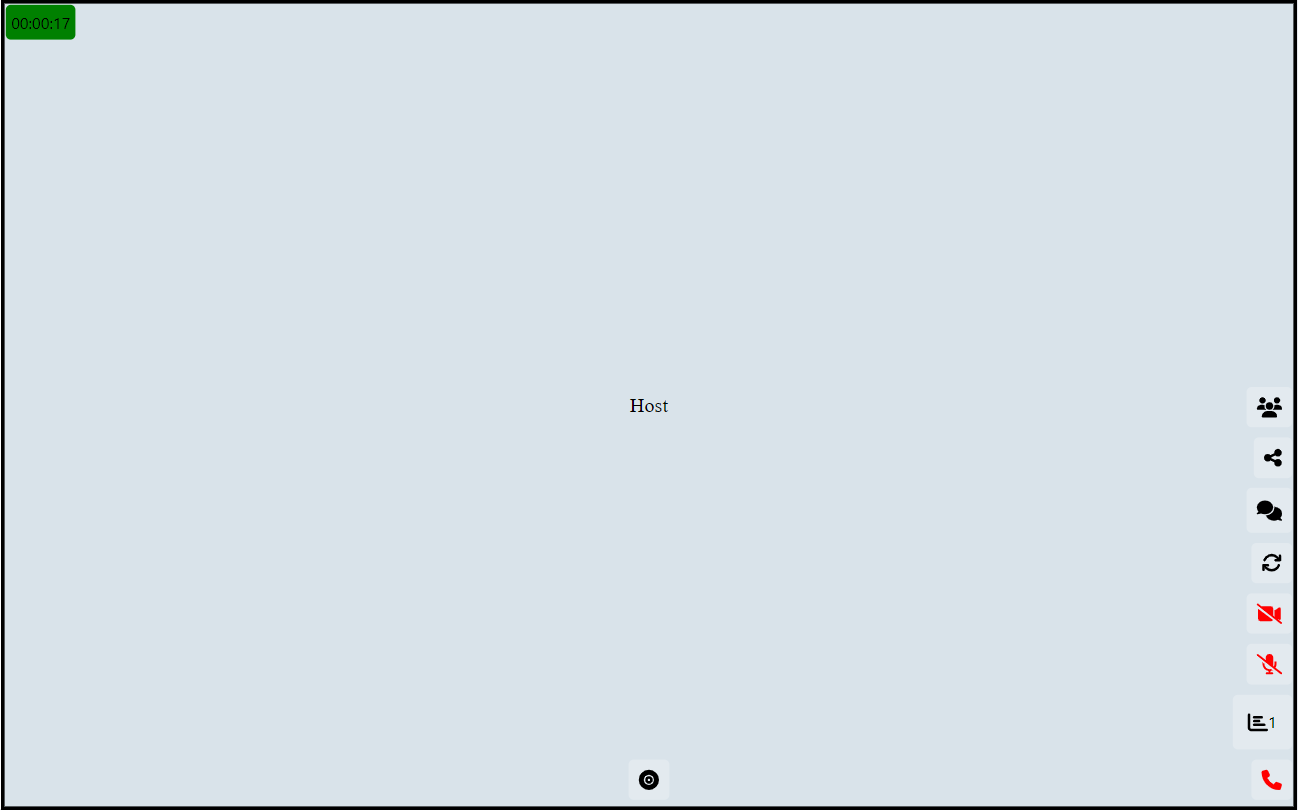
Preview of Conference Page
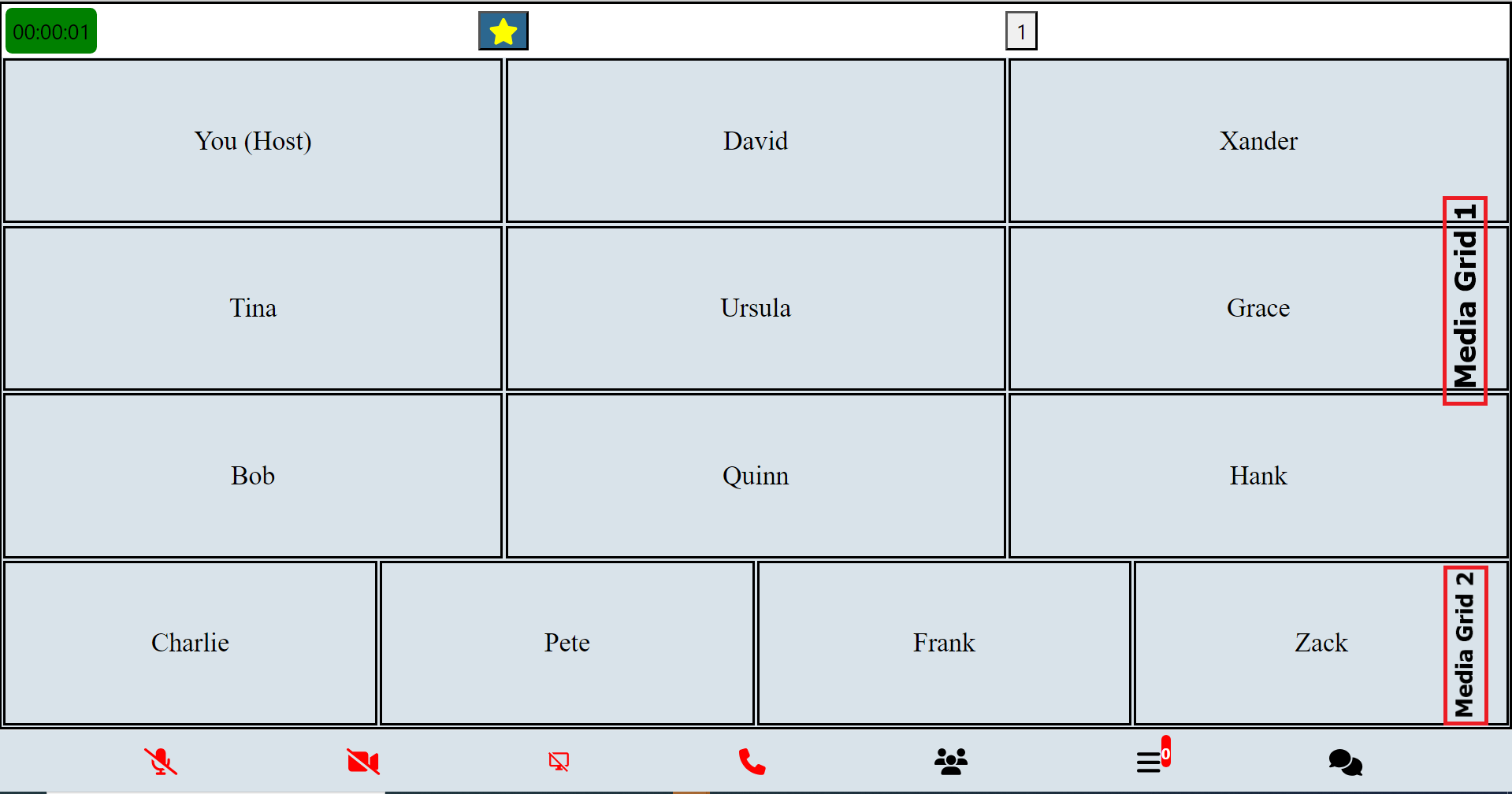
Preview of Conference Page's Mini Grids
Advanced Usage Guide
In-depth documentation for advanced users, covering complex functionalities and customization options.
Introduction to Advanced Media Control Functions:
In advanced usage scenarios, users often encounter complex tasks related to media control, connectivity, and streaming management within their applications. To facilitate these tasks, a comprehensive set of functions is provided, offering granular control over various aspects of media handling and communication with servers.
These advanced media control functions encompass a wide range of functionalities, including connecting to and disconnecting from WebSocket servers, joining and updating room parameters, managing device creation, switching between different media streams, handling permissions, processing consumer transports, managing screen sharing, adjusting layouts dynamically, and much more.
This robust collection of functions empowers developers to tailor their applications to specific requirements, whether it involves intricate media streaming setups, real-time communication protocols, or sophisticated user interface interactions. With these tools at their disposal, developers can create rich and responsive media experiences that meet the demands of their users and applications.
Here's a tabulated list of advanced control functions along with brief explanations:
| Function | Explanation |
|---|---|
connectSocket |
Connects to the WebSocket server. |
disconnectSocket |
Disconnects from the WebSocket server. |
joinRoomClient |
Joins a room as a client. |
updateRoomParametersClient |
Updates room parameters as a client. |
createDeviceClient |
Creates a device as a client. |
switchVideoAlt |
Switches video/camera streams. |
clickVideo |
Handles clicking on video controls. |
clickAudio |
Handles clicking on audio controls. |
clickScreenShare |
Handles clicking on screen share controls. |
streamSuccessVideo |
Handles successful video streaming. |
streamSuccessAudio |
Handles successful audio streaming. |
streamSuccessScreen |
Handles successful screen sharing. |
streamSuccessAudioSwitch |
Handles successful audio switching. |
checkPermission |
Checks for media access permissions. |
producerClosed |
Handles the closure of a producer. |
newPipeProducer |
Creates receive transport for a new piped producer. |
updateMiniCardsGrid |
Updates the mini-grids (mini cards) grid. |
mixStreams |
Mixes streams and prioritizes interesting ones together. |
dispStreams |
Displays streams (media). |
stopShareScreen |
Stops screen sharing. |
checkScreenShare |
Checks for screen sharing availability. |
startShareScreen |
Starts screen sharing. |
requestScreenShare |
Requests permission for screen sharing. |
reorderStreams |
Reorders streams (based on interest level). |
prepopulateUserMedia |
Populates user media (for main grid). |
getVideos |
Retrieves videos that are pending. |
rePort |
Handles re-porting (updates of changes in UI when recording). |
trigger |
Triggers actions (reports changes in UI to backend for recording). |
consumerResume |
Resumes consumers. |
connectSendTransportAudio |
Connects send transport for audio. |
connectSendTransportVideo |
Connects send transport for video. |
connectSendTransportScreen |
Connects send transport for screen sharing. |
processConsumerTransports |
Processes consumer transports to pause/resume based on the current active page. |
resumePauseStreams |
Resumes or pauses streams. |
readjust |
Readjusts display elements. |
checkGrid |
Checks the grid sizes to display. |
getEstimate |
Gets an estimate of grids to add. |
calculateRowsAndColumns |
Calculates rows and columns for the grid. |
addVideosGrid |
Adds videos to the grid. |
onScreenChanges |
Handles screen changes (orientation and resize). |
sleep |
Pauses execution for a specified duration. |
changeVids |
Changes videos. |
compareActiveNames |
Compares active names (for recording UI changes reporting). |
compareScreenStates |
Compares screen states (for recording changes in grid sizes reporting). |
createSendTransport |
Creates a send transport. |
resumeSendTransportAudio |
Resumes a send transport for audio. |
receiveAllPipedTransports |
Receives all piped transports. |
disconnectSendTransportVideo |
Disconnects send transport for video. |
disconnectSendTransportAudio |
Disconnects send transport for audio. |
disconnectSendTransportScreen |
Disconnects send transport for screen sharing. |
connectSendTransport |
Connects a send transport. |
getPipedProducersAlt |
Gets piped producers. |
signalNewConsumerTransport |
Signals a new consumer transport. |
connectRecvTransport |
Connects a receive transport. |
reUpdateInter |
Re-updates the interface based on audio decibels. |
updateParticipantAudioDecibels |
Updates participant audio decibels. |
closeAndResize |
Closes and resizes the media elements. |
autoAdjust |
Automatically adjusts display elements. |
switchUserVideoAlt |
Switches user video (alternate) (back/front). |
switchUserVideo |
Switches user video (specific video id). |
switchUserAudio |
Switches user audio. |
receiveRoomMessages |
Receives room messages. |
formatNumber |
Formats a number (for broadcast viewers). |
connectIps |
Connects IPs (connect to consuming servers) |
startMeetingProgressTimer |
Starts the meeting progress timer. |
updateRecording |
Updates the recording status. |
stopRecording |
Stops the recording process. |
pollUpdated |
Handles updated poll data. |
handleVotePoll |
Handles voting in a poll. |
handleCreatePoll |
Handles creating a poll. |
handleEndPoll |
Handles ending a poll. |
breakoutRoomUpdated |
Handles updated breakout room data. |
Room Socket Events
In the context of a room's real-time communication, various events occur, such as user actions, room management updates, media controls, and meeting status changes. To effectively handle these events and synchronize the application's state with the server, specific functions are provided. These functions act as listeners for socket events, allowing the application to react accordingly.
Provided Socket Event Handling Functions:
| Function | Explanation |
|---|---|
userWaiting |
Triggered when a user is waiting. |
personJoined |
Triggered when a person joins the room. |
allWaitingRoomMembers |
Triggered when information about all waiting room members is received. |
roomRecordParams |
Triggered when room recording parameters are received. |
banParticipant |
Triggered when a participant is banned. |
updatedCoHost |
Triggered when the co-host information is updated. |
participantRequested |
Triggered when a participant requests access. |
screenProducerId |
Triggered when the screen producer ID is received. |
updateMediaSettings |
Triggered when media settings are updated. |
producerMediaPaused |
Triggered when producer media is paused. |
producerMediaResumed |
Triggered when producer media is resumed. |
producerMediaClosed |
Triggered when producer media is closed. |
controlMediaHost |
Triggered when media control is hosted. |
meetingEnded |
Triggered when the meeting ends. |
disconnectUserSelf |
Triggered when a user disconnects. |
receiveMessage |
Triggered when a message is received. |
meetingTimeRemaining |
Triggered when meeting time remaining is received. |
meetingStillThere |
Triggered when the meeting is still active. |
startRecords |
Triggered when recording starts. |
reInitiateRecording |
Triggered when recording needs to be re-initiated. |
getDomains |
Triggered when domains are received. |
updateConsumingDomains |
Triggered when consuming domains are updated. |
RecordingNotice |
Triggered when a recording notice is received. |
timeLeftRecording |
Triggered when time left for recording is received. |
stoppedRecording |
Triggered when recording stops. |
hostRequestResponse |
Triggered when the host request response is received. |
allMembers |
Triggered when information about all members is received. |
allMembersRest |
Triggered when information about all members is received (rest of the members). |
disconnect |
Triggered when a disconnect event occurs. |
pollUpdated |
Triggered when a poll is updated. |
breakoutRoomUpdated |
Triggered when a breakout room is updated. |
Sample Usage:
// Example usage of provided socket event handling functions
import 'package:mediasfu_sdk/mediasfu_sdk.dart'show participantRequested, screenProducerId;

socket.value!.on('participantRequested', (data) async {

    // Handle 'participantRequested' event
    participantRequested(
      userRequest: data['userRequest'],
      parameters: {...getAllParams(), ...mediaSFUFunctions()},
    );
});

socket.value!.on('screenProducerId', (data) async {
  // Handle 'screenProducerId' event

    screenProducerId(
      producerId: data['producerId'],
      parameters: {...getAllParams(), ...mediaSFUFunctions()},
    );
});
These functions enable seamless interaction with the server and ensure that the application stays synchronized with the real-time events occurring within the room.
API Reference
For detailed information on the API methods and usage, please refer to the MediaSFU API Documentation.
If you need further assistance or have any questions, feel free to ask!
For sample codes and practical implementations, visit the MediaSFU Sandbox.
Troubleshooting
-
Interactive Testing with MediaSFU's Frontend: Users can interactively join MediaSFU's frontend in the same room to analyze if various events or media transmissions are happening as expected. For example, adding a user there to check changes made by the host and vice versa.
-
Reducing Terminal Log Clutter: When running your Flutter application on a physical device in debug mode, you might encounter excessive logs from Java that clutter the terminal output. To address this issue, you can use the following command to filter out irrelevant logs:
flutter run | sed '/^.\// { /^\(V\|I\|W\|E\)\/flutter/!d }'This command will only display logs related to Flutter, excluding unnecessary logs from other sources. It helps in maintaining a cleaner terminal output for better debugging experience.
-
Issues with Remote Streams on Web: If you have issues seeing remote streams on the web, it might be due to problems related to localhost. Testing on localhost can sometimes lead to issues due to various factors, such as browser security settings or network configurations. To ensure a more reliable testing environment, it is recommended to:
- Build and Deploy: Make a production build of your application and deploy it to a staging or live environment. This will help you test the application in a real-world scenario, bypassing potential issues related to localhost.
- Use a Different Browser: Sometimes, different browsers handle local streams differently. Testing on multiple browsers can help identify if the issue is browser-specific. These troubleshooting steps should help users address common issues and optimize their experience with MediaSFU. If the issues persist or additional assistance is needed, users can refer to the documentation or reach out to the support team for further assistance.
<div style="text-align: center;">

https://github.com/MediaSFU/MediaSFU-ReactJS/assets/157974639/a6396722-5b2f-4e93-a5b3-dd53ffd20eb7

</div>
Libraries
- components/breakout_components/breakout_rooms_modal
- components/co_host_components/co_host_modal
- components/display_components/alert_component
- components/display_components/audio_card
- components/display_components/audio_decibel_check
- components/display_components/audio_grid
- components/display_components/card_video_display
- components/display_components/flexible_grid
- components/display_components/flexible_video
- components/display_components/loading_modal
- components/display_components/main_aspect_component
- components/display_components/main_container_component
- components/display_components/main_grid_component
- components/display_components/main_screen_component
- components/display_components/meeting_progress_timer
- components/display_components/mini_audio
- components/display_components/mini_card
- components/display_components/other_grid_component
- components/display_components/pagination
- components/display_components/sub_aspect_component
- components/display_components/video_card
- components/display_settings_components/display_settings_modal
- components/event_settings_components/event_settings_modal
- components/exit_components/confirm_exit_modal
- components/media_settings_components/media_settings_modal
- components/mediasfu_components/mediasfu_broadcast
- components/mediasfu_components/mediasfu_chat
- components/mediasfu_components/mediasfu_conference
- components/mediasfu_components/mediasfu_generic
- components/mediasfu_components/mediasfu_webinar
- components/menu_components/meeting_id_component
- components/menu_components/meeting_passcode_component
- components/message_components/message_panel
- components/message_components/messages_modal
- components/misc_components/confirm_here_modal
- components/misc_components/prejoin_page
- components/misc_components/welcome_page
- components/misc_components/welcome_page_qrcode
- components/participants_components/participant_list
- components/participants_components/participant_list_item
- components/participants_components/participant_list_others
- components/participants_components/participant_list_others_item
- components/participants_components/participants_modal
- components/polls_components/poll_modal
- components/recording_components/advanced_panel_component
- components/recording_components/recording_modal
- components/recording_components/standard_panel_component
- components/requests_components/render_request_component
- components/requests_components/requests_modal
- components/waiting_components/waiting_modal
- consumers/add_videos_grid
- consumers/auto_adjust
- consumers/calculate_rows_and_columns
- consumers/change_vids
- consumers/check_grid
- consumers/check_permission
- consumers/close_and_resize
- consumers/compare_active_names
- consumers/compare_screen_states
- consumers/connect_ips
- consumers/connect_recv_transport
- consumers/connect_send_transport
- consumers/connect_send_transport_audio
- consumers/connect_send_transport_screen
- consumers/connect_send_transport_video
- consumers/consumer_resume
- consumers/consumerEmitMethods/create_receive_all_piped_transports
- consumers/control_media
- consumers/create_send_transport
- consumers/disconnect_send_transport_audio
- consumers/disconnect_send_transport_screen
- consumers/disconnect_send_transport_video
- consumers/disp_streams
- consumers/generate_page_content
- consumers/get_estimate
- consumers/get_piped_producers_alt
- consumers/get_producers_piped
- consumers/get_videos
- consumers/mix_streams
- consumers/on_screen_changes
- consumers/pause_send_transport_audio
- consumers/prepopulate_user_media
- consumers/process_consumer_transports
- consumers/process_consumer_transports_audio
- consumers/re_port
- consumers/re_update_inter
- consumers/readjust
- consumers/receive_all_piped_transports
- consumers/receive_room_messages
- consumers/reorder_streams
- consumers/resume_pause_audio_streams
- consumers/resume_pause_streams
- consumers/resume_send_transport_audio
- consumers/signal_new_consumer_transport
- consumers/socket_receive_methods/join_consume_room
- consumers/socket_receive_methods/new_pipe_producer
- consumers/socket_receive_methods/producer_closed
- consumers/start_recording
- consumers/stream_success_audio
- consumers/stream_success_audio_switch
- consumers/stream_success_screen
- consumers/stream_success_video
- consumers/switch_user_audio
- consumers/switch_user_video
- consumers/switch_user_video_alt
- consumers/trigger
- consumers/update_mini_cards_grid
- consumers/update_participant_audio_decibels
- main
- main_broadcast
- main_chat
- main_conference
- main_generic
- main_webinar
- mediasfu_sdk
- methods/breakout_rooms_methods/breakout_room_updated
- methods/breakout_rooms_methods/launch_breakout_rooms
- methods/co_host_methods/launch_co_host
- methods/co_host_methods/modify_co_host_settings
- methods/display_settings_methods/launch_display_settings
- methods/display_settings_methods/modify_display_settings
- methods/exit_methods/confirm_exit
- methods/exit_methods/launch_confirm_exit
- Launches the confirmation exit modal.
- methods/media_settings_methods/launch_media_settings
- Launches the menu modal and updates its visibility state.
- methods/message_methods/launch_messages
- Opens or closes the messages modal based on the current visibility state.
- methods/message_methods/send_message
- methods/participants_methods/launch_participants
- methods/participants_methods/message_participants
- methods/participants_methods/mute_participants
- methods/participants_methods/remove_participants
- methods/polls_methods/handle_create_poll
- methods/polls_methods/handle_end_poll
- methods/polls_methods/handle_vote_poll
- methods/polls_methods/launch_poll
- methods/polls_methods/poll_updated
- methods/recording_methods/check_pause_state
- methods/recording_methods/check_resume_state
- methods/recording_methods/confirm_recording
- methods/recording_methods/launch_recording
- methods/recording_methods/record_pause_timer
- methods/recording_methods/record_resume_timer
- methods/recording_methods/record_start_timer
- methods/recording_methods/record_update_timer
- methods/recording_methods/start_recording
- methods/recording_methods/stop_recording
- methods/recording_methods/update_recording
- methods/requests_methods/launch_requests
- methods/requests_methods/respond_to_requests
- methods/settings_methods/launch_settings
- methods/settings_methods/modify_settings
- methods/stream_methods/click_audio
- methods/stream_methods/click_chat
- methods/stream_methods/click_video
- methods/stream_methods/switch_audio
- methods/stream_methods/switch_video
- methods/stream_methods/switch_video_alt
- methods/utils/format_number
- methods/utils/generate_random_messages
- methods/utils/generate_random_participants
- methods/utils/generate_random_polls
- methods/utils/generate_random_request_list
- methods/utils/generate_random_waiting_room_list
- methods/utils/get_modal_position
- methods/utils/get_overlay_position
- methods/utils/initial_values
- methods/utils/meeting_timer/start_meeting_progress_timer
- methods/utils/mini_audio_player/mini_audio_player
- methods/utils/producer/a_params
- methods/utils/producer/h_params
- methods/utils/producer/screen_params
- methods/utils/producer/v_params
- methods/utils/producer/video_capture_constraints
- methods/utils/sleep
- methods/utils/validate_alpanumeric
- methods/waiting_methods/launch_waiting
- methods/waiting_methods/respond_to_waiting
- producer_client/producer_client_emits/create_device_client
- producer_client/producer_client_emits/join_room_client
- producer_client/producer_client_emits/update_room_parameters_client
- producers/producer_emits/join_con_room
- producers/producer_emits/join_room
- producers/socket_receive_methods/all_members
- producers/socket_receive_methods/all_members_rest
- producers/socket_receive_methods/all_waiting_room_members
- producers/socket_receive_methods/ban_participant
- producers/socket_receive_methods/control_media_host
- producers/socket_receive_methods/disconnect
- producers/socket_receive_methods/disconnect_user_self
- producers/socket_receive_methods/get_domains
- producers/socket_receive_methods/host_request_response
- producers/socket_receive_methods/meeting_ended
- producers/socket_receive_methods/meeting_still_there
- producers/socket_receive_methods/meeting_time_remaining
- producers/socket_receive_methods/participant_requested
- producers/socket_receive_methods/person_joined
- producers/socket_receive_methods/producer_media_closed
- producers/socket_receive_methods/producer_media_paused
- producers/socket_receive_methods/producer_media_resumed
- producers/socket_receive_methods/re_initiate_recording
- producers/socket_receive_methods/receive_message
- producers/socket_receive_methods/recording_notice
- producers/socket_receive_methods/room_record_params
- producers/socket_receive_methods/screen_producer_id
- producers/socket_receive_methods/start_records
- producers/socket_receive_methods/stopped_recording
- producers/socket_receive_methods/time_left_recording
- producers/socket_receive_methods/update_consuming_domains
- producers/socket_receive_methods/update_media_settings
- producers/socket_receive_methods/updated_co_host
- producers/socket_receive_methods/user_waiting
- sockets/socket_manager