
interactive_svg 0.0.1  interactive_svg: ^0.0.1 copied to clipboard
A lightweight Flutter package for rendering SVGs with selectable, interactive regions, supporting hit-testing, bounds extraction, and zoom/scroll functionality.
Interactive SVG #
A lightweight Flutter package for rendering SVGs with selectable, interactive regions, supporting hit-testing, bounds extraction, and zoom/scroll functionality.
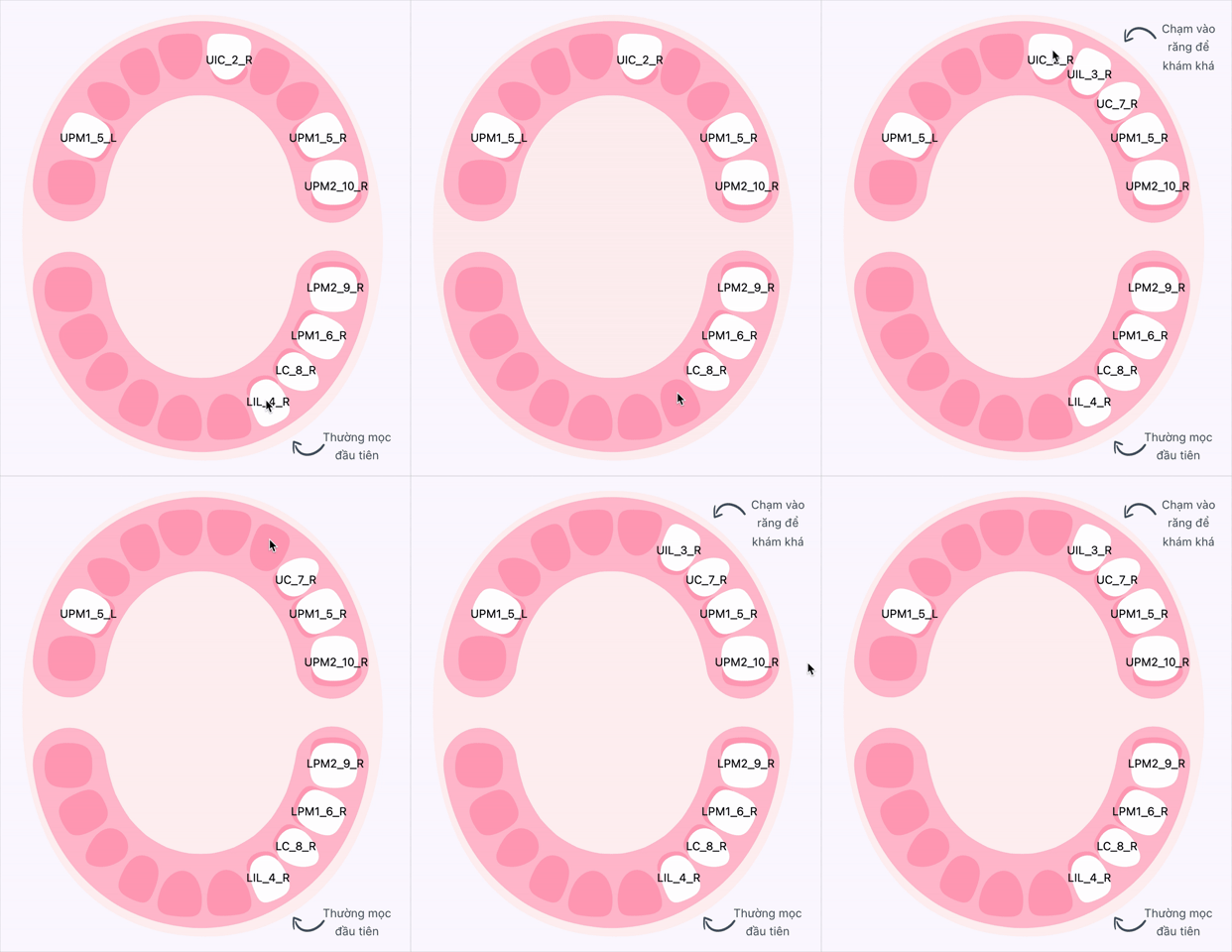
Table of Contents #
- Features
- Getting Started
- Usage
- SVG Authoring Guidelines
- Limitations
- Features and Bugs
- Examples
- Contributing
- Acknowledgments
Features #
- Render SVGs with interactive regions.
- Select elements by ID or group using
InteractiveSelector. - Handle taps and hovers with
onTapandonHovercallbacks, providingSvgRegionsDetails(bounds may be null on first build). - Support for bounds calculation, lazy bounds, and zoom/scroll wrappers.
- Customizable overlays via
interactiveBuilder.
Getting Started #
Installation #
Add the package to your pubspec.yaml:
dependencies:
  interactive_svg: ^latest_version
Run flutter pub get to install.
Usage #
Render an SVG with interactive regions and handle taps with this minimal example:
import 'package:interactive_svg/interactive_svg.dart';

// Define selectors for interactive regions
final selectors = [
  InteractiveSelector.byID(id: 'tooth-1'), // Interactive tooth region
  InteractiveSelector.byID(id: 'background', type: InteractiveType.touchable), // Background region
];

// Render SVG with interactive regions
InteractiveSvgView.fromAsset(
  svgAssets: 'assets/teeth.svg',
  selectors: selectors,
  shouldRebuildWhenBoundsCalculated: true,
  errorBuilder: (context, error, stackTrace) => const Center(
    child: Icon(Icons.error, color: Colors.red),
  ),
  placeholderBuilder: (context) => const Center(
    child: CircularProgressIndicator(),
  ),
  onTap: (details) {
    // Handle tap events
    if (details.selector != null) {
      print('Tapped region: ${details.selector!.id}');
    } else {
      print('Tapped outside defined regions');
    }
  },
  interactiveBuilder: (context, view, details) {
    // Add overlays for interactive regions
    if (details.selector?.id == 'tooth-1' && details.bounds != null) {
      return CustomPaint(
        foregroundPainter: LabelPainter(
          label: details.selector!.id,
          bounds: details.bounds!.bounds,
        ),
        child: view,
      );
    }
    return view;
  },
)
Notes #
- Use
onTaporonHoverfor hit-testing instead ofGestureDetectorininteractiveBuilder, asflutter_svgdoes not forward pointer events through transparent pixels. - Set
shouldRebuildWhenBoundsCalculatedtotrueto rebuild after bounds are available, asdetails.boundsmay be null on first build.
SVG Authoring Guidelines #
To ensure reliable interactivity, follow these guidelines when creating SVGs:
Element IDs #
- IDs should be unique and descriptive (e.g.,
tooth-1,background). - Avoid auto-generated IDs from design tools, as they may change on export.
Grouping and Layers #
- Group related shapes into
<g>elements to represent independent interactive regions (e.g., tooth, gum, label). - Keep dependencies (e.g.,
<defs>, gradients, clipPaths, masks) local to each group to avoid fragile cross-references.
Hit-Testing #
- Ensure interactive shapes have a fill (even transparent) to register hits, as
flutter_svgdoes not pass pointer events through transparent pixels. - Mark the background with a unique ID (e.g.,
background) for background tap detection.
ViewBox and Coordinates #
- Define a stable
viewBoxon the root<svg>for predictable scaling and bounds. - Keep elements within the
viewBoxand avoid large transforms outside expected bounds.
Performance #
- Inline fills and strokes for interactive elements instead of relying on complex
<defs>or<use>. - Simplify paths for interactive regions to reduce parsing and bounds computation costs.
Example SVG #
<svg viewBox="0 0 200 200" xmlns="http://www.w3.org/2000/svg">
  <!-- Interactive Tooth Region -->
  <g id="tooth-1">
    <!-- Local Mask -->
    <mask id="mask-tooth-1" x="60" y="80" width="80" height="80">
      <path d="M140 160H60V80H140V160Z" fill="white"/>
    </mask>
    <!-- Tooth Shape (Clipped, transparent fill) -->
    <g mask="url(#mask-tooth-1)">
      <path id="tooth-shape-1"
            d="M80 120C75 130 85 140 95 145C110 150 120 140 125 130C130 115 100 100 80 120Z"
            fill="transparent"/>
    </g>
  </g>

  <!-- Background for Tap Detection -->
  <rect id="background" x="0" y="0" width="200" height="200" fill="transparent"/>
</svg>
Limitations #
- Performance: Complex SVGs (e.g., large paths, many nodes, heavy filters, masks) may slow parsing and bounds computation. Simplify interactive regions where possible.
- Bounds Timing: Region bounds may be null on first build. Use
shouldRebuildWhenBoundsCalculatedto handle this. - Hit-Testing: Transparent pixels do not forward events; ensure shapes have a fill (even transparent).
- SVG Features: Avoid heavy use of
<use>, external references, or complex<defs>, as they may cause unexpected behavior influtter_svg.
Features and Bugs #
For the latest updates on features and known issues, please refer to this link (to be provided).
Examples #
Check the /example folder for demos showcasing:
- Defining
InteractiveSelectorvalues for regions liketooth-1andbackground. - Handling
onTapevents for interactive SVG regions. - Adding overlays with
interactiveBuilder(e.g., labels fortooth-1). - Implementing zoom and scroll with
ZoomableandSingleChildScrollView.
Contributing #
Contributions are welcome! Please:
- Adhere to Dart and Flutter lint rules.
- Include tests for parser or selector changes.
- Update this README and documentation for public API changes.
Acknowledgments #
AI tools were consulted and used for specific assistance and code suggestions during the development of this project.
Metadata
Publisher
unverified uploader
Weekly Downloads
Metadata
A lightweight Flutter package for rendering SVGs with selectable, interactive regions, supporting hit-testing, bounds extraction, and zoom/scroll functionality.
Repository (GitHub)
View/report issues
License
 unknown (license)
Dependencies
collection, copy_with_extension, equatable, flutter, flutter_svg, meta, path_drawing, xml

